How to Deposit SPD88 Malaysia
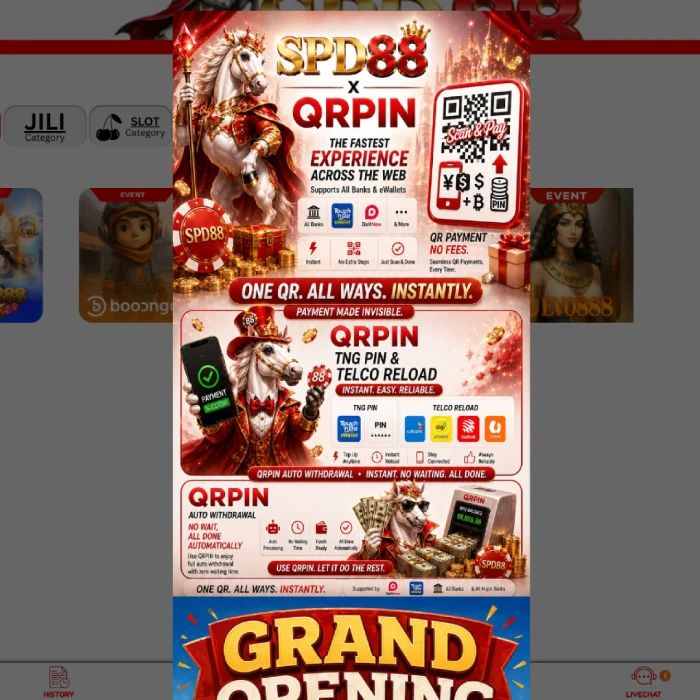
Who this guide is for
This guide is for users who have already registered an SPD88, SPEED88 or SPD88C account and want to understand how a deposit (top up) usually works before doing it for the first time. If you have not yet created an account, start with the registration guide, and if a bonus is part of your plan, read the bonus-claim guide before you fund your account.
Deposits are also where Malaysian payment context matters most, since the specific banks and e-wallets available, and how quickly they process, differ from what many generic international guides describe. The sections below focus on that local context alongside the general step-by-step process.
Before you start: deposit checklist
- Your account is registered and you can log in without issues.
- You have decided on a deposit amount you can genuinely afford to lose, not just the minimum.
- You know which payment method you plan to use, and the account or e-wallet is in your own name.
- You have checked whether a bonus is worth claiming alongside this deposit, and read its terms if so.
- You have a way to keep proof of payment, such as a screenshot or reference number.
Step-by-step deposit guide
- Log in to your account. See the login guide if you need a refresher.
- Open Deposit, Top Up or E-Wallet. This section is usually reachable from the main account menu or a wallet icon.
- Choose your payment method. Options may include online banking transfer, Touch n Go eWallet, DuitNow, DuitNow QR, GrabPay or Boost, depending on what is currently supported.
- Enter the deposit amount. Confirm it meets the current minimum deposit before submitting.
- Follow the payment instructions exactly. This may include a bank transfer reference number or a QR code to scan within a time limit.
- Pay from an account in your own name. Sending funds from someone else's account is a common reason deposits get delayed or queried.
- Save the receipt or reference number. Keep it until your balance is confirmed updated.
- Check your balance after completion. If it does not reflect within the platform's usual processing window, contact verified support with your payment proof.
What the deposit screen usually shows
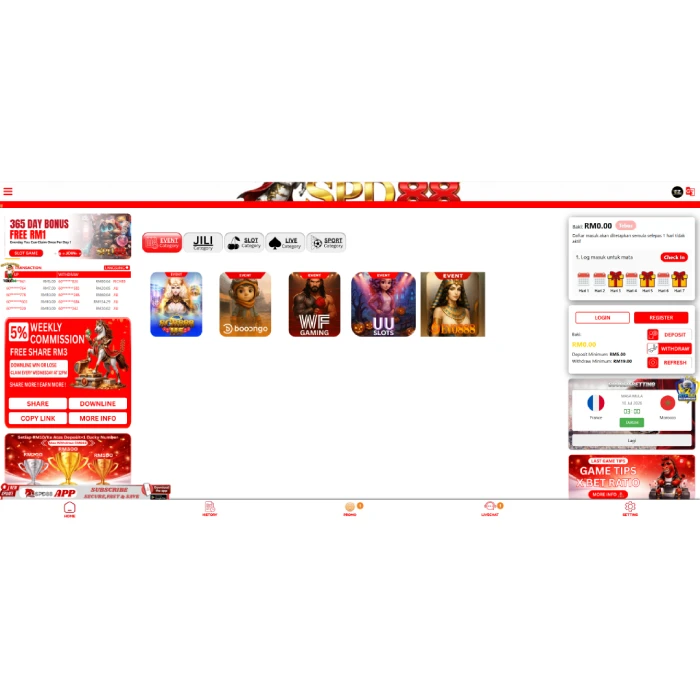
A typical deposit screen usually lists the available payment methods as selectable tiles or a dropdown, an amount field (sometimes with quick-select buttons for common amounts), any active bonus you can attach to the deposit, and a confirm button that reveals payment instructions — such as a bank account number, a reference code or a QR code. Instructions are often time-limited, so complete the payment promptly once you reach this screen rather than leaving it open indefinitely.
Take a moment to read the confirmation summary before you pay, particularly the exact amount and the destination account or QR code shown. This is the last easy point to catch a mistake, such as an accidentally doubled digit in the amount field, before funds actually leave your bank or e-wallet.
Malaysian deposit methods explained
Exact payment options depend on what is currently supported, but Malaysian users typically encounter a mix of bank transfers and e-wallet or QR options.
| Method | How it usually works | What to check |
|---|---|---|
| Online banking (Maybank, CIMB, Public Bank, RHB, Hong Leong) | Transfer directly from your banking app to a provided account number | Confirm the account name matches, and keep the transaction receipt |
| Touch n Go eWallet | Pay via the eWallet app, often using a reload or transfer feature | Check any transaction limit on your eWallet tier |
| DuitNow / DuitNow QR | Scan a QR code or use a DuitNow ID for an instant bank-to-bank transfer | Confirm the QR or ID belongs to the current, correct deposit page |
| GrabPay | Similar to other e-wallets, used for smaller or quick top-ups | Check whether GrabPay is currently listed as an accepted option |
| Boost | An e-wallet option some Malaysian platforms accept | Availability changes; confirm it is currently supported before relying on it |
Method availability changesNot every method is guaranteed to be available at all times. Always check the live list of supported options on the deposit screen itself, rather than assuming a method you used before is still active.
If your preferred method is not listed, avoid searching for a workaround through an unofficial third party offering to process the payment on your behalf. It is safer to choose a different currently supported method than to route your money through an unverified middleman.
Choosing between bank transfer and e-wallet
Neither payment style is universally better — the right choice depends on what you already use daily and how quickly you want funds to reflect.
| Method style | Strength | Trade-off |
|---|---|---|
| Bank transfer | Familiar, widely trusted, often supports larger amounts | Can be slower outside banking hours; details must be entered manually |
| E-wallet / QR (Touch n Go, DuitNow, GrabPay, Boost) | Often quick to reflect, simple to scan and confirm | May carry a lower per-transaction limit depending on your wallet tier |
If you are depositing a small amount to test the process, an e-wallet or QR option can be a convenient way to start. For a larger deposit, some users prefer a bank transfer simply because of the familiar paper trail it leaves in their banking app. Either way, keep your proof of payment regardless of which method you choose.
Minimum deposit notes
Public references have shown RM5.00 as a deposit minimum for SPD88-style access. This figure is publicly referenced rather than guaranteed, and minimum amounts can change without notice, so confirm the current minimum on the deposit screen before you commit to an amount.
A low minimum can be genuinely useful for testing the deposit process end to end before committing a larger amount, or for confirming a payment method works correctly. Treat a small first deposit as a practical check, not as a separate strategy for managing risk on its own.
Why keeping proof of payment matters
A receipt, reference number or screenshot is your primary evidence if a deposit does not reflect correctly, so treat saving it as a normal part of the process rather than an optional extra step. Store it somewhere you can find quickly, such as a dedicated folder or note, rather than relying on scrolling back through your banking app's history under pressure later.
If you do need to contact support about a missing deposit, having the exact time, amount, reference number and payment method ready in advance usually resolves the query far faster than describing the issue from memory. This small habit costs almost nothing and meaningfully improves your position if something does go wrong.
Worked example: deposit and bonus planning
Deciding how much to deposit is easier when you separate two questions: what can you comfortably afford to lose, and what does any bonus you are considering actually require. Say you plan to deposit RM50 for a session. If a welcome offer matches 100 percent up to RM50 with a 10 times turnover requirement on the total of deposit plus bonus, accepting it would credit your account RM100 — but you would then need to wager RM1,000 in eligible games before any withdrawal, since RM100 multiplied by 10 is RM1,000.
If that turnover level does not suit how you plan to play, you always have the option to deposit the same RM50 without claiming the bonus, keeping full flexibility to withdraw once you are ready. Neither choice is automatically correct — it depends on your own plans and budget. The bonus-claim guide walks through several more worked turnover examples in detail.
Setting a deposit budget before you start
A simple way to plan a session is to decide your total budget first, then divide it into smaller deposits rather than committing it all at once. For example, if you have set aside RM100 for the week, depositing RM25 at a time across up to four separate sessions gives you natural checkpoints to reassess, rather than a single RM100 deposit that can disappear in one longer sitting.
This is not a strategy for winning — no deposit pattern changes the odds of any game. It is simply a budgeting habit that keeps your total spending aligned with what you decided in advance, rather than what feels reasonable in the moment during a session.
Deposit safety checklist
- Verify you are on the correct, current deposit page before entering any payment details
- Confirm the current minimum deposit rather than assuming RM5.00 still applies
- Read any attached bonus terms before confirming the deposit
- Pay only from an account or e-wallet registered in your own name
- Save your receipt, reference number or screenshot until the balance is confirmed
- Avoid sending funds to a personal account or an unverified agent instead of the official payment channel
- Contact verified support quickly if your balance is not updated after a reasonable wait
Run through this list mentally each time, even after you have deposited many times before. Complacency, not unfamiliarity, is usually what causes an experienced user to skip a check that a first-time user would naturally take more carefully.
Common deposit problems and fixes
| Problem | Possible cause | What to do |
|---|---|---|
| Balance not updated | Processing delay or an incorrect reference number | Wait the platform's usual processing window, then contact support with your receipt |
| Payment rejected | Payment-method issue or a mismatched account name | Retry with a payment method registered in your own name |
| Bonus not activated | Wrong promotion selected, or a missed claim step | Check the current bonus page and confirm whether manual activation was required |
| Amount below minimum | Deposit did not meet the current minimum requirement | Check the live minimum on the deposit screen and top up the difference |
| Sent to the wrong details | Funds sent to an outdated or incorrect account/QR | Contact verified support immediately and keep your transaction proof |
| Duplicate deposit submitted twice | Double-clicked confirm, or resubmitted after a slow response | Contact support before assuming the second payment is lost — avoid depositing a third time |
Processing time and fees
Deposit processing time varies by method and by current platform load — some e-wallet or QR payments can reflect quickly, while bank transfers occasionally take longer, especially outside banking hours. Any fees are set by your bank or e-wallet provider rather than by this independent guide, so check your own banking app for transfer charges. Treat any claim of guaranteed instant processing with caution, since technical delays can happen on any platform.
If you are ever unsure whether a delay is normal processing or an actual problem, compare it against the platform's own stated processing window rather than guessing. A delay that clearly exceeds that stated window, with no update in your transaction history, is the point at which contacting support becomes worthwhile rather than waiting further.
Deposit mistakes to avoid
| Mistake | Why it hurts |
|---|---|
| Depositing before reading the bonus terms attached to it | You may unknowingly accept a wagering requirement you did not want |
| Using a payment account that is not in your own name | Increases the chance of a rejected or delayed payment |
| Ignoring the current minimum deposit | A payment below the live minimum can be rejected outright |
| Not saving proof of payment | Makes any later dispute much harder to resolve |
| Treating a deposit as a way to chase back an earlier loss | Increases financial risk without improving your odds |
Most of these mistakes share a common thread: they happen when a deposit is made quickly, under some kind of pressure, rather than calmly. Slowing down by even a minute or two before you confirm a payment is one of the simplest, lowest-effort safety habits available to any user.
Bahasa Malaysia terms glossary
| Term | Meaning |
|---|---|
| Deposit / tambah nilai | Add funds to your account |
| Baki | Balance |
| Resit | Receipt |
| Rujukan | Reference (number) |
| Kredit percuma | Free credit |
| Had minimum | Minimum limit |
What to do after you deposit
Once your balance updates, double-check it matches what you paid before you start playing. If you claimed a bonus, track your wagering progress as you play rather than waiting until you want to withdraw to check it. When you are ready to cash out, the withdrawal guide covers the next steps, including the publicly referenced RM19.00 minimum withdrawal.
It is also worth briefly reviewing your own spending pattern after a session, not just your account balance. Comparing what you actually deposited against what you had planned to deposit is a simple, honest check that catches budget creep early, before it becomes a bigger problem.
Responsible gaming reminderSet a deposit limit before you start, and stop once you reach it rather than topping up again to chase a loss. Gambling is entertainment with real financial risk, not income. Read responsible gaming for more guidance.
SPD88 platform screenshots

Frequently asked questions
What is the SPD88 minimum deposit?
Public references have shown RM5.00 as a minimum deposit, but this figure is not guaranteed to be current. Always confirm the live minimum on the deposit screen itself before choosing an amount, since limits can change without notice.
What does top up mean?
Top up is another common way of describing a deposit — adding funds to your account balance so you can play. On SPD88-style platforms, Top Up, Deposit and the Bahasa Malaysia phrase tambah nilai are generally used interchangeably.
Should I claim a bonus before depositing?
Only if you have read and understood the wagering requirement, maximum withdrawal and eligible games attached to it. If the terms are unclear, or you would rather keep full withdrawal flexibility, it is entirely reasonable to deposit without claiming any bonus.
What should I do if my deposit is missing?
Keep your receipt, reference number or screenshot, wait a reasonable processing window, and then contact verified support with that proof. Avoid making a second deposit to test the issue before you have confirmation of what happened to the first one.
Can deposits be reversed?
This depends on the payment method and the platform's current rules — many deposit methods, such as bank transfers and e-wallet payments, are not easily reversible once completed. Treat every deposit as final at the moment you confirm it.
Can I deposit using Touch n Go eWallet or GrabPay?
Availability depends on what the platform currently supports. Touch n Go eWallet, GrabPay, Boost and DuitNow-based transfers are common Malaysian e-wallet and QR options, but confirm the live list of accepted methods on the deposit screen before assuming one is supported.
Does depositing more money increase my chances of winning?
No. A larger deposit does not change the odds of any casino-style game — outcomes are random. A bigger deposit only means a larger amount of money is at risk, so decide your deposit amount based on your budget, not a belief that it improves your odds.
Why do I need to pay from an account in my own name?
Payment-name matching helps confirm the person making the deposit is the same person who owns the platform account, which protects against fraud and payment disputes. A mismatched name is one of the most common reasons a deposit or later withdrawal is delayed.
Is there a maximum deposit limit?
This depends on the platform's current rules and possibly your account or verification tier. If you plan a larger deposit, check the maximum on the deposit screen first, and consider whether your own responsible-gambling limits matter more than any platform maximum.
What if I deposit but never claim a bonus?
That is completely fine. A deposit without a bonus keeps your balance free of any wagering requirement, meaning you can typically withdraw available funds without needing to meet a turnover target first, subject to the platform's standard withdrawal rules.